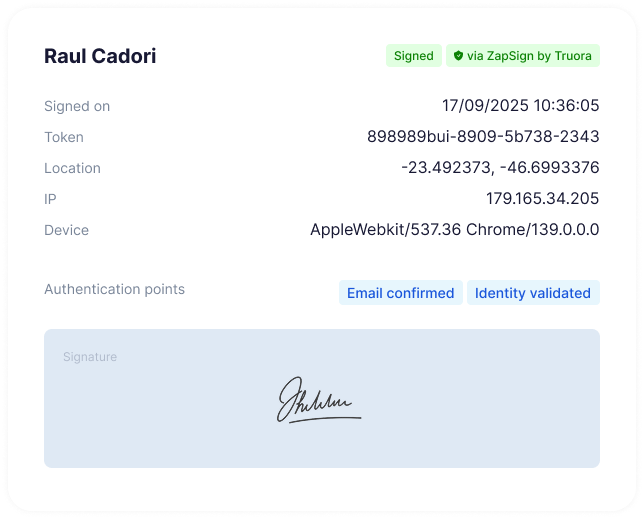
Execute multiple documents simultaneously without compromising security or traceability. Drastically reduce administrative overhead.
Secure Signing Delegation
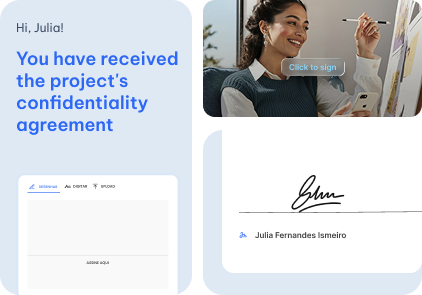
Maintain momentum by delegating signing authority to a trusted representative while keeping a fully transparent and traceable history.
89
%
Of agreements are fully executed in under 3 minutes
7
days
To validate your customers’ identity
2
min
To create a simple document
98
%
Average cost reduction per executed document
3 Corações
Gilberto Ferreira
“The platform’s ease of use makes not only daily operations simple, but also the training of teams to use it.”
Still have questions?
Frequently Asked Questions
How does sending a document for signature work?
After creating the document, you just need to enter the signers’ email addresses and click “Send.”
ZapSign handles the rest: each person receives a secure link by email, accesses the document, and signs it in seconds — without needing to create an account or install anything.
You can track everything in real time from the dashboard: who has already signed, who is pending, and when the process was completed.
Do people need a ZapSign account to sign?
No. Anyone can sign from any device (computer or mobile) simply by clicking the link sent.
The experience is simple, fast, and intuitive—designed to eliminate friction.
This means you can send contracts, proposals, and authorizations in minutes, even to people who have never used ZapSign before.
Is it possible to control the signing order and flow?
Yes. You decide whether you want everyone to sign at the same time or in a specific sequence.
The platform automatically manages the sending process and notifies each signer at the right moment, ensuring the flow follows exactly the configuration you set.
When everyone finishes, the document is closed, and you receive the signed version along with the complete audit report.